Kanrisha
An automated LTO tape archiving system I'm building to make tape storage as seamless as any other storage tier. Files just work — archive, cache, and restore happen transparently.
What it does
Kanrisha sits between your filesystem and your tape hardware, managing the entire lifecycle of data from hot storage to cold archive.
Watches Your Filesystem
Monitors file changes in real-time and automatically queues files for archiving when they match your rules.
Archives to LTO Tape
Writes files to tape in optimized batches with dual copies for safety. Checksums verified on every write and read.
Warm Cache Layer
Recently archived files are cached for instant access. Frequently accessed files stay cached longer automatically.
Transparent Restores
When someone opens an archived file, it's restored automatically. No special commands or workflow changes needed.
How It Works
Kanrisha sits between your filesystem and your tape hardware. Files move automatically between tiers based on rules you define.
Hot Storage
Your active files live on fast disk. Kanrisha watches for changes and applies your archiving rules automatically.
Warm Cache
Recently archived files are cached for instant access. No tape load needed — accessed files stay cached longer automatically.
LTO Tape
Long-term archive with dual tape copies. Decades of retention at the lowest cost per terabyte. Fully checksummed and verified.
Automatic
Rule-based archiving with 6 built-in policies
Transparent
Files restore on access — no workflow changes
Verified
Every read and write is checksummed for integrity
Features I've built
From rule-based automation to full library management — here's what Kanrisha can do so far.
Rule-Based Archiving
Six built-in archiving rules ship ready to use. Test any rule with a dry-run before enabling it. Archive by age, size, replication count, and more.
Transparent File Access
Users and applications access archived files normally. Kanrisha restores them automatically on demand. No special tools, no training required.
Dual Tape Copies
Every file written to two separate tapes in different pools. If one tape fails, Kanrisha reads the other copy automatically.
Data Integrity
Every file is checksummed on write and verified on every read. Pre-archive checks ensure files haven't changed since being queued.
Tape Library Management
Full control of robotic libraries — inventory scanning, slot management, drive assignment, health monitoring, and automated tape movements.
Notifications & Monitoring
Nine alert categories covering hardware, integrity, jobs, tape lifecycle, security, and more. Email, webhooks, push, or direct monitoring integration.
Interactive TUI Console
Seven-tab terminal interface for real-time management. Dashboard, libraries, tapes, jobs, files, policies, and system administration.
Web UI
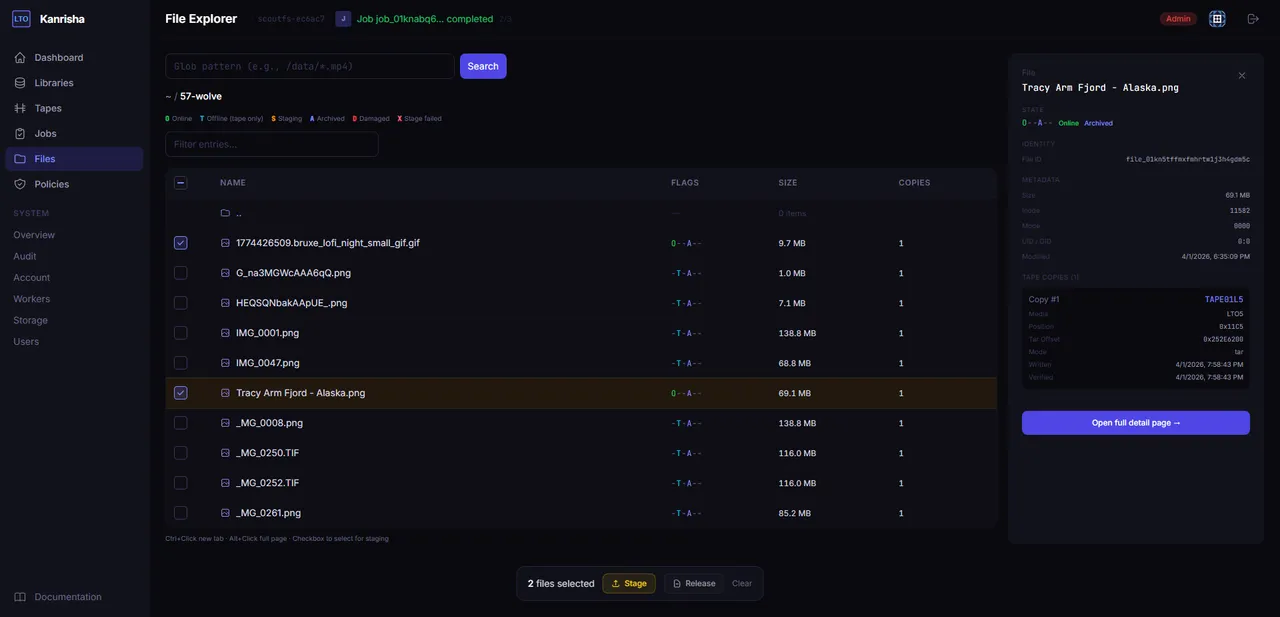
A full web interface for managing your archive from any browser. Browse files, monitor jobs, review audit logs, and manage tapes — no terminal required.
REST API & CLI
Everything in the console is available through the API. Real-time event streaming, plus a CLI for scripting and one-off operations.
Role-Based Access
Three roles — Admin, Operator, Viewer — control who can see and do what. Every action logged in a complete audit trail.
See it in action
Two ways to manage your tape infrastructure — a modern web interface and a powerful terminal console.
Web UI
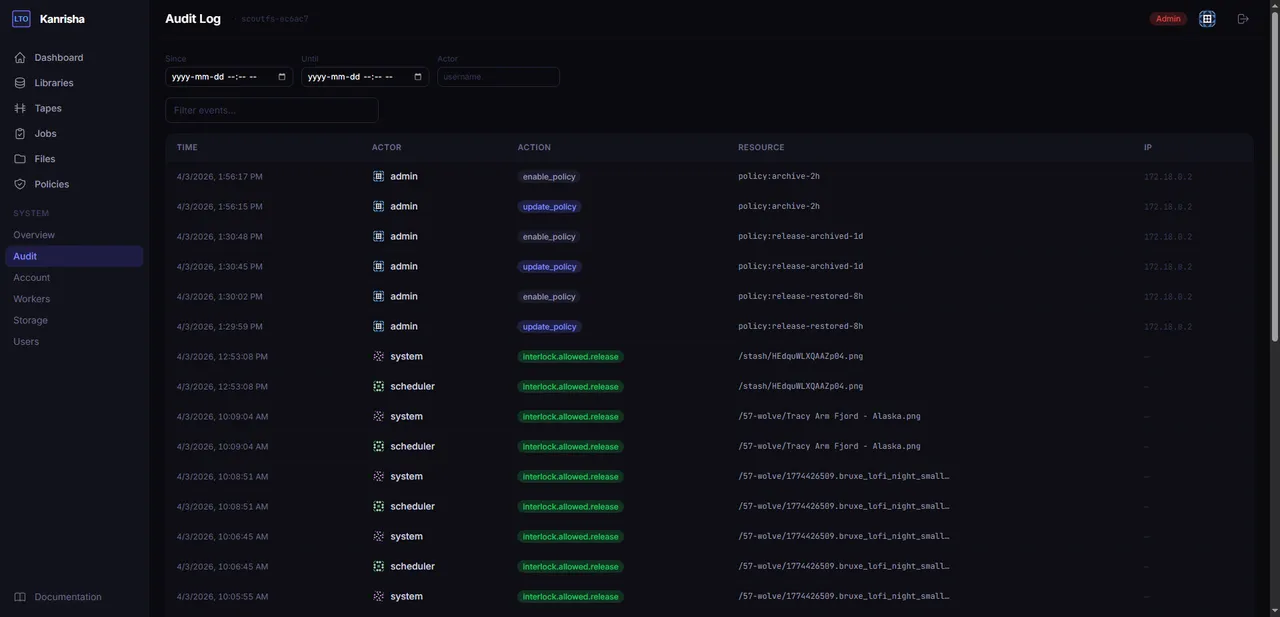
Audit Log — complete record of every action and event

Policy Rules — configure and test archiving rules

Tape Detail — capacity, health, and contents at a glance

Jobs — monitor every archive and restore operation
Terminal Console
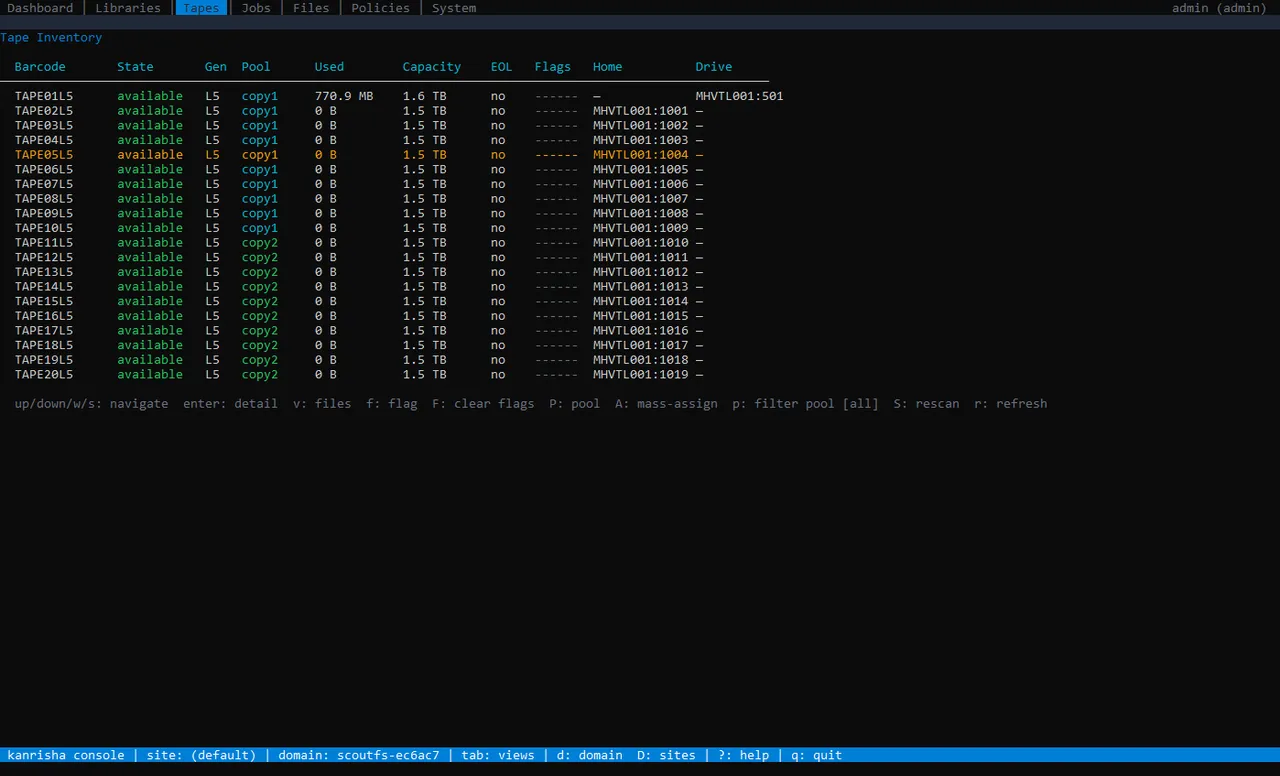
Tape Inventory — full visibility into every tape, pool, and slot
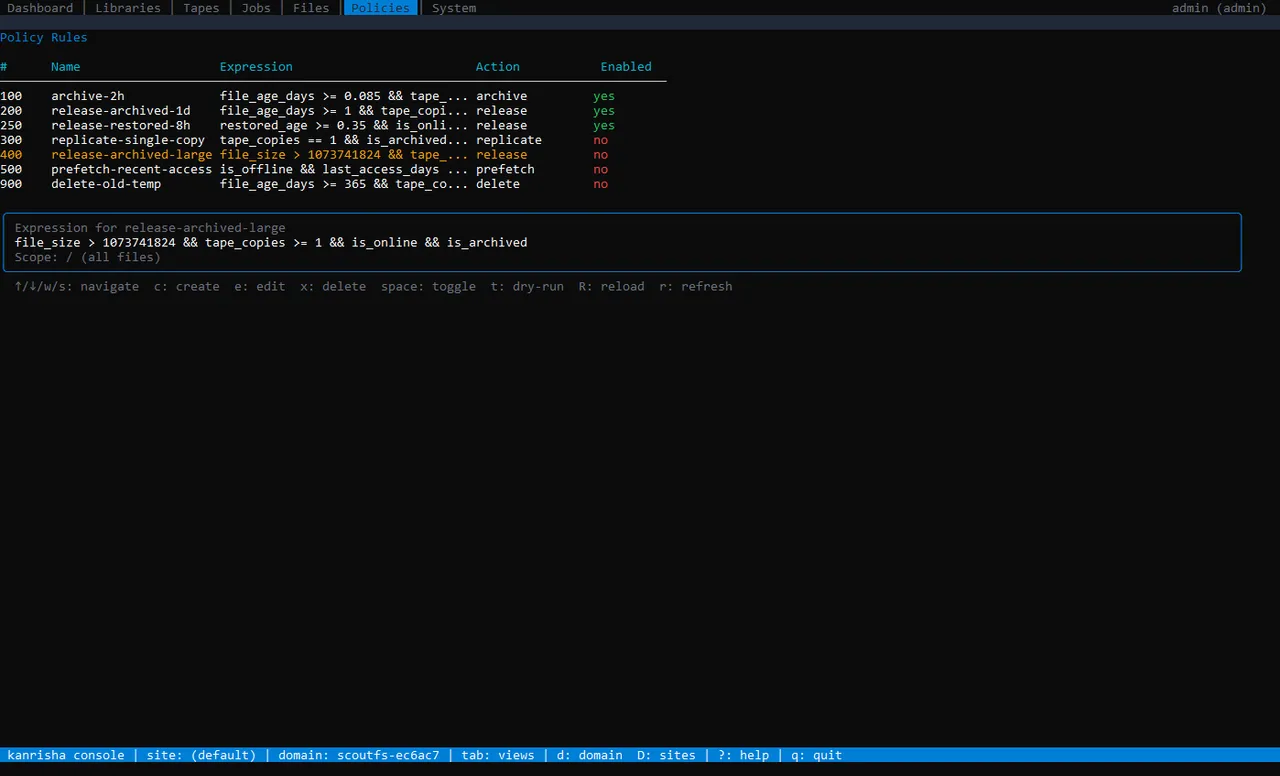
Policy Rules — define archiving rules with powerful expressions

Job Detail — track every archive and restore operation

File Detail — checksums, tape locations, and full metadata
Data safety first
The core design principle: prioritize data safety over convenience. Data on tape should never be accidentally or maliciously destroyed.
Append-Only Writes
Existing data on tape is never overwritten or modified. New data is always written to fresh space.
Verified Before Destroyed
No data is removed until a second copy exists and is confirmed intact. The system refuses unsafe operations.
Circuit Breaker
Detects unusual bursts of deletion requests — like ransomware — and automatically halts all deletes until an admin investigates.
Retention Locks
Set minimum retention periods before any file can be deleted. Ensures compliance with regulatory requirements.
Legal Holds
Freeze specific files or entire sets indefinitely. Only an administrator can release a hold — no automated process can override it.
Air-Gapped by Nature
Tapes are physically offline when not mounted. No network connection can reach data that isn't in a drive.
Deny when uncertain — if the system can't confirm an operation is safe, it refuses rather than risking data. Every destructive action is logged with who did it, what they did, and when. Restores always work — reading your data is never blocked for any reason.
How it's built
A look at the technologies and architecture behind Kanrisha.
Language
-
Go
Core system, scheduler, API, and tape operations
Storage
-
ScyllaDB
File metadata and version tracking
-
PostgreSQL
Tape inventory, jobs, policies, audit trail, and everything else
Tape Interface
-
SCSI / SG
Direct tape drive and library control
-
Tar
Files are written to tape in tar format for portability
-
LTFS
Standard format for tape interchange and offsite vaulting
Architecture
-
Controller + Workers
Scheduler and API on controller, tape I/O on distributed workers
-
Policy Engine
Rule-based automation with expression evaluation and dry-run
-
Safety Interlocks
Circuit breaker, retention locks, legal holds, and audit trail
Interface
-
TUI Console
Seven-tab terminal interface built with Bubble Tea
-
REST API
Full programmatic access with real-time event streaming
-
CLI Tool
Scripting and one-off operations from the command line